$open case-study/02
project 02desktop · local-first

Inventory Desktop Application

Inventory management software for a workstation rather than a browser tab: data lives on the machine, entry is keyboard-first, and the app keeps working when the network does not.
role
Sole engineer — architecture, UI, data layer, packaging
type
Cross-platform desktop application
stack
Electron · React · TypeScript · Prisma · SQLite
timeframe
Personal / client project
github ↗Distributed as a packaged desktop build
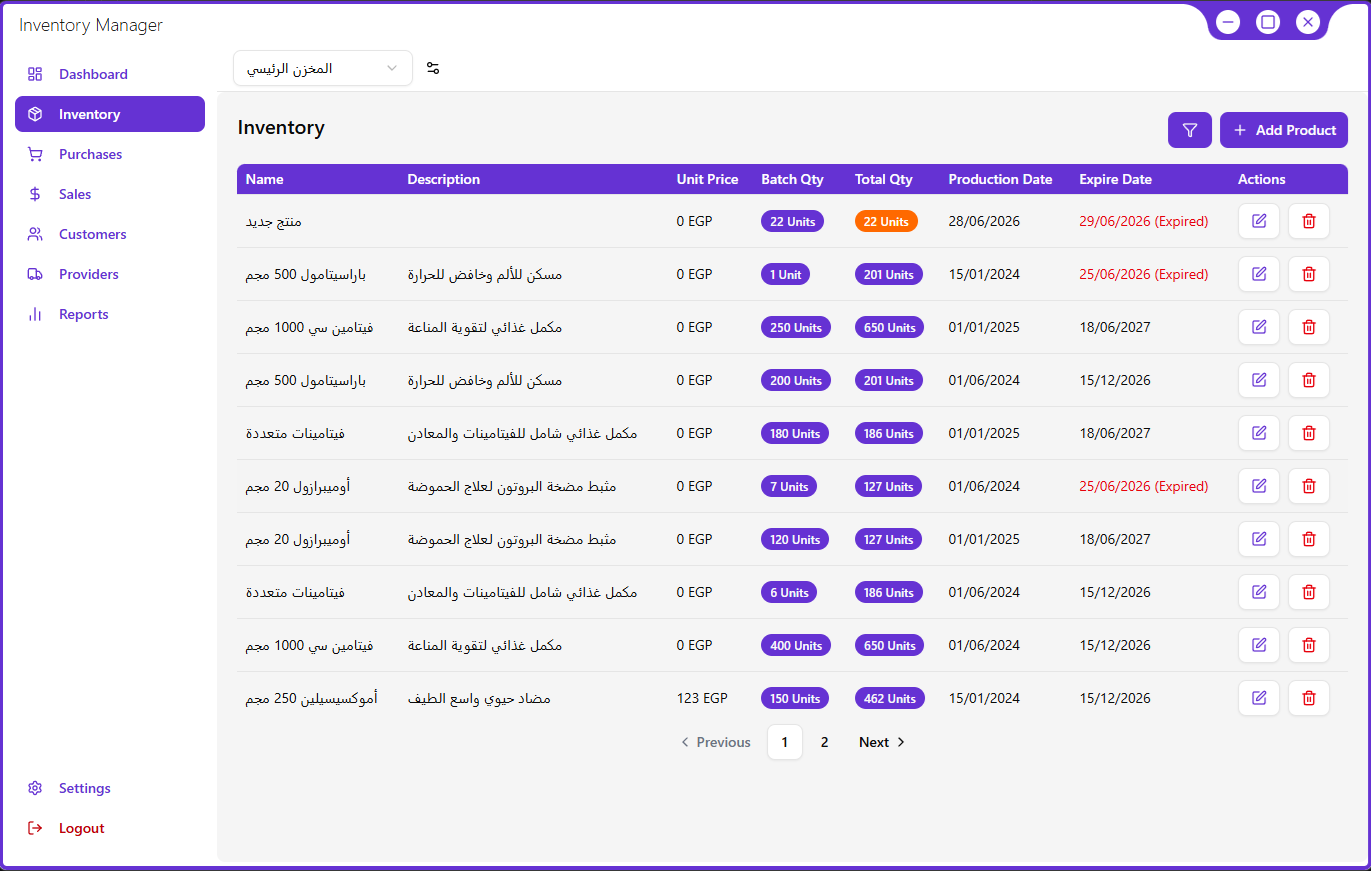
Inventory.app — stock
screenshot
main stock window
01

Product Context

context.md
what it is

Desktop software for tracking inventory: items, quantities, movements and reporting, in a dense interface built for repeated data entry.

who it serves

Small operations where one or two people manage stock on a shared machine and cannot depend on a stable internet connection.

why it matters

Web inventory tools fail exactly when stock work happens — during a count, in a stockroom, offline. Local-first storage removes that failure mode.

02

The Challenge

04 constraints
  1. 01Local-first without data lossThe single source of truth is a file on someone's machine. Schema changes, interrupted writes and backups all have to be handled without a server to fall back on.
  2. 02Dense data entry that still feels fastLong tables and multi-field forms in a renderer process degrade quickly if every keystroke re-renders the grid.
  3. 03One set of validation rulesRules enforced only in the UI drift from the database. Enforced only in the database, they surface as unhelpful errors after the fact.
  4. 04Shipping an installable buildPackaging, native module rebuilds and first-run migrations are part of the product, not an afterthought.
03

My Role

Sole engineer.

From the data schema to the packaged installer, including the parts that are usually someone else's job.

Data modelling

Prisma schema, relations and migration strategy for a database that ships with the app.

Interface engineering

Table virtualisation, form architecture and keyboard-first interaction across the app.

Process boundary

Designed the typed IPC surface between renderer and main with context isolation on.

Release

Build configuration, packaging and a first-run flow that migrates or seeds the database.

04

Architecture

05 layers
L1 · renderer
React interface
Stock tables, item forms, filters and reports in a windowed layout.
ReactTypeScript
L2 · state
View & form state
Local component state with one shared validation schema per entity.
FormsSchema
L3 · bridge
Typed IPC boundary
A narrow set of named channels; the renderer never touches the filesystem.
IPCcontextIsolation
L4 · main process
Electron main
Window lifecycle, migrations on launch, backup and export routines.
ElectronNode.js
L5 · data
Local database
A single SQLite file accessed through a generated, typed client.
PrismaSQLite
05

Technical Decisions

04 records

Each decision below records what it cost as well as what it bought.

decision 01
problem
The workflow needs file access, printing and offline operation.
decision
Electron, rather than a browser app with a local server.
reason
Native dialogs, filesystem access and a real installable build, while keeping one React codebase and web tooling.
trade-off
A large bundle and a per-platform release process — accepted, since the audience installs once and uses daily.
decision 02
problem
Choosing a store for data that must never require a network.
decision
SQLite as the primary database, on the user's disk.
reason
Transactional guarantees, instant queries, and a backup that is just a file copy.
trade-off
No multi-user access or sync; a future server would mean designing a real merge strategy.
decision 03
problem
Hand-written SQL and hand-written types drifting apart.
decision
Prisma as the schema source of truth, with generated types and versioned migrations.
reason
The compiler catches shape mismatches, and migrations become reviewable artefacts instead of ad-hoc statements.
trade-off
A native dependency to rebuild at package time, and less control over exotic queries.
decision 04
problem
Validation duplicated between form components and the data layer.
decision
One schema per entity, shared by the form and the write path across the IPC boundary.
reason
A rule change lands in one place, and the message a user sees matches what the database will accept.
trade-off
Some validation runs twice, and the shared module has to stay free of renderer-only imports.
06

Forms & Validation

Data entry is the product.

Stock work is hundreds of small edits a day, so the item form is tuned for the keyboard: tab order that follows the paper flow, inline validation on blur, and errors that name the field rather than the rule.
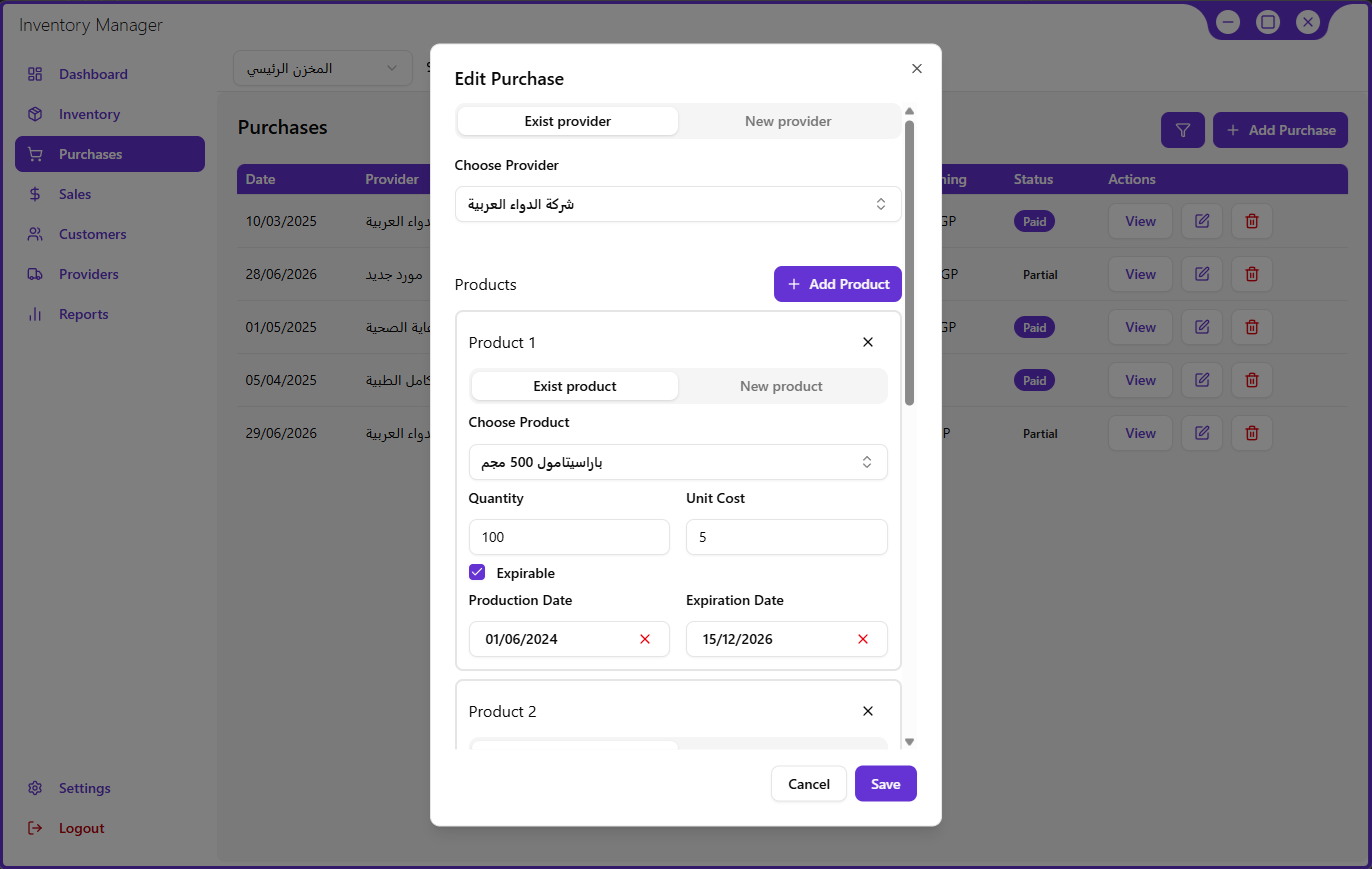
Inventory.app — item
screenshot
item form with validation states
07

Local-First Storage

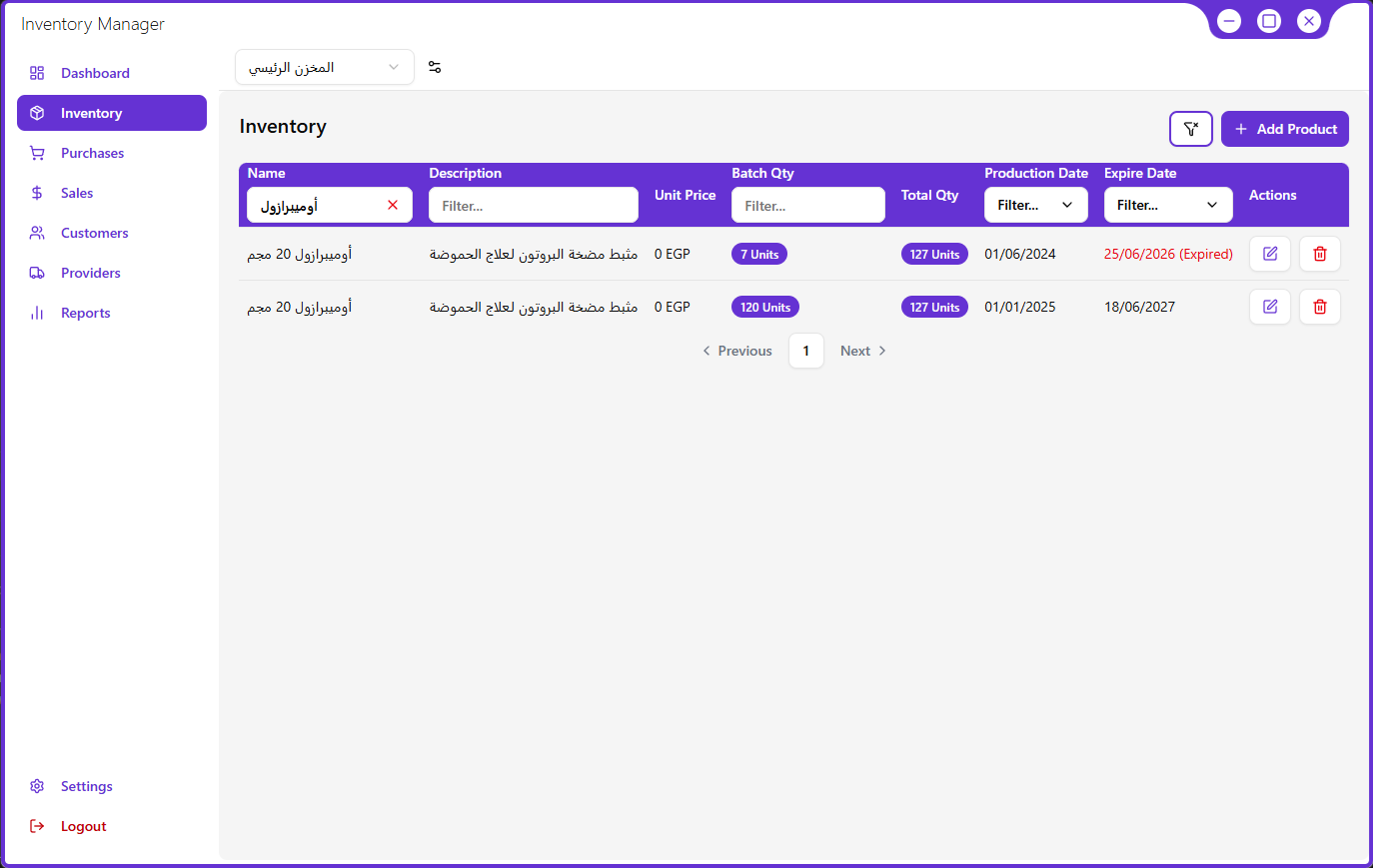
Inventory.app — stock / filtered
screenshot
stock table, filtered view

The database is a file on the desk.

SQLite means every read is instant and the app never blocks on a network. Backups are a file copy, and migrations run on launch before the window is shown.

08

Engineering Quality

08 dimensions
Accessibility

Full keyboard operation, labelled inputs, and error text tied to fields via aria-describedby.

Performance

Virtualised tables, memoised rows, and debounced filters so typing never blocks the grid.

Testing

Unit tests on validation and data mapping; smoke coverage of the create-and-edit flow.

Error handling

Write failures surface as recoverable states with the entered data preserved.

State management

Local state by default; shared state only where two panes genuinely read the same record.

Component architecture

A small primitive set — table, field, dialog — composed into every screen.

Responsive design

Layout adapts from a narrow window to a wide monitor without horizontal scrolling.

Maintainability

Domain logic kept out of components; schema-driven types across the process boundary.

09

Outcome

● complete and in use

Where it stands.

resultsA packaged desktop application that manages inventory entirely offline, with validated entry and local reporting.
technicalEnd-to-end type safety from SQLite schema through IPC into the renderer, with migrations that run before the first window paints.
lessonsMost of the engineering effort went into the boring parts — migrations, backups, packaging. Getting those right is what makes desktop software trustworthy.
statusComplete and in use. A sync layer is the obvious next step if more than one workstation is needed.